Free demo · Book now

Time Attendance System logo

UAE · GCC · Africa

Face Recognition Attendance System

AITIME is face recognition attendance software that turns touchless punches from terminals at gates, clinics, kitchens and site entrances into shift, overtime and payroll-ready hours. Reuse the Hikvision or ZKTeco face devices you already have, or add new ones where you need them.

Get a quote

Share your headcount, sites and devices. A specialist replies with a demo slot and pricing.

No obligation. We usually reply within one business hour.

In short

Face Recognition Attendance: the short answer

A face recognition attendance system identifies each employee at a touchless terminal and records the punch against their shift. AITIME connects ZKTeco, Hikvision, Dahua and AITime face terminals across the UAE, GCC and Africa, applies late, overtime and leave rules, and exports payroll data, including UAE WPS SIF files and Saudi Mudad-ready data. It suits clinics, food businesses and dusty work sites.

Last reviewed 3 November 2026 · AITIME implementation team

At a glance

Connects to
ZKTeco, Hikvision, Dahua and AITime face terminals; compatible units can usually be reused
Verification methods
Face, fingerprint or RFID card, depending on what each terminal supports
Spoof protection
Liveness detection on supported terminal models, confirmed before you buy
Field staff
GPS geofenced check-in in the mobile app, with no selfie or face match
Offline behaviour
Punches held on the terminal and synced later with their original timestamps
Data recorded
Employee, time, terminal and site for each punch, plus a full audit trail
Payroll outputs
WPS SIF for UAE salaries, Mudad-ready data for KSA, Excel/CSV or API elsewhere
Languages and hosting
Arabic and English interface, cloud-hosted

Overview

Why employers are moving attendance from the finger to the face

A face recognition attendance system solves problems that fingerprint readers struggle with. On construction and industrial sites, cement, oil and manual work wear fingerprints down, so the same workers fail to read every morning and the queue at the gate grows. In clinics, central kitchens and food factories, a sensor that hundreds of hands touch each day is a hygiene question auditors ask about. A facial recognition time clock reads people from a short distance, with nothing to touch.

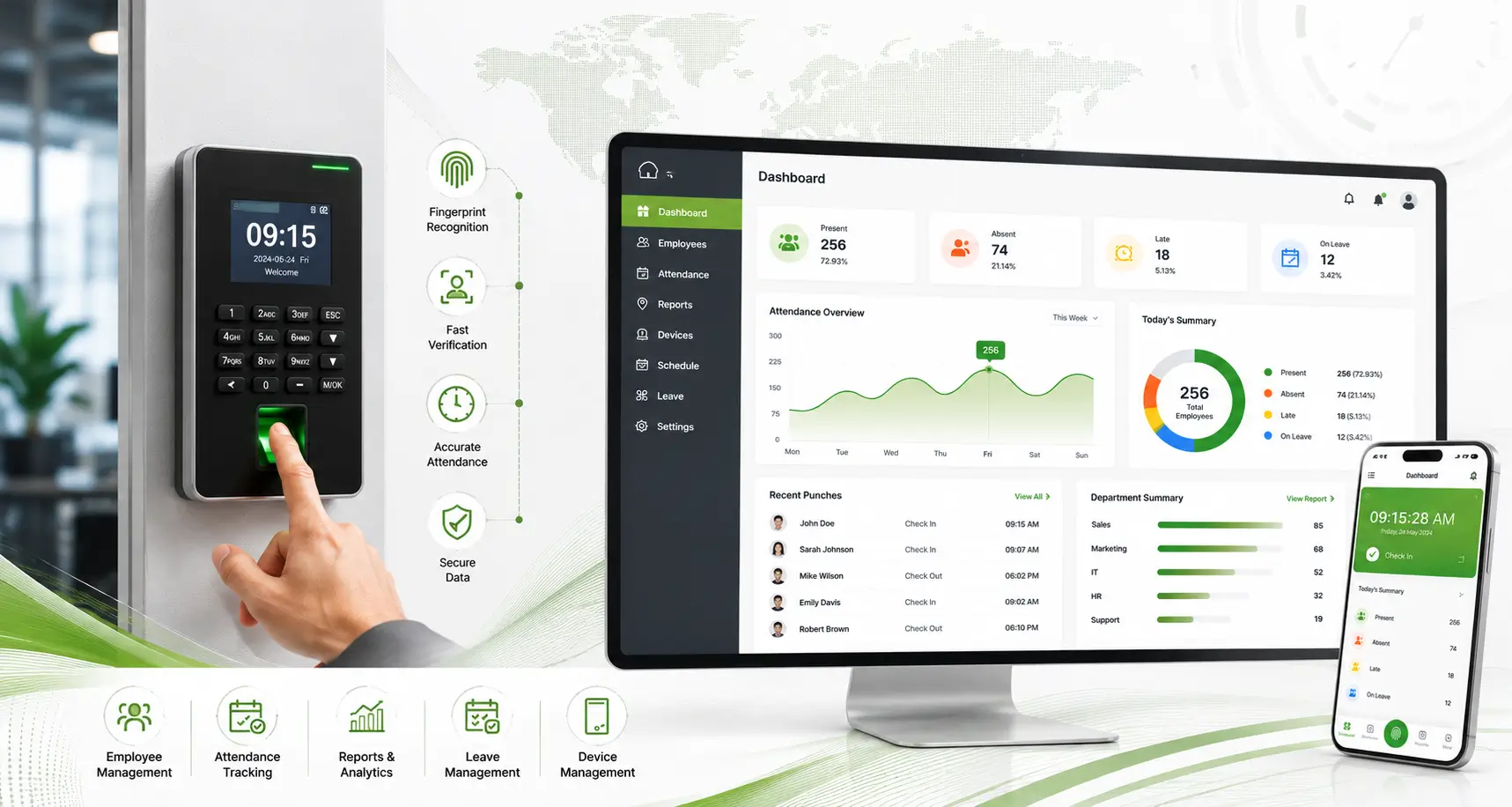
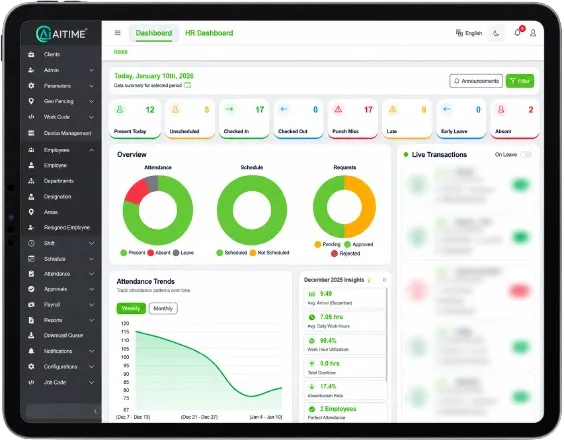
The terminal is only half the job. Punches still have to become hours, late marks, overtime and pay. AITIME collects punches from face terminals at every gate, branch and labour camp into one record per employee, matches them to the shift each person was rostered on, and hands payroll clean totals. Where you already have Hikvision or ZKTeco face devices, they usually stay in place.

Face recognition has practical limits, and a good rollout plans for them. Hard hats, face masks and strong sunlight behind a person affect matching on some models. We help you pick terminals suited to each entrance, mount them out of direct sun, choose models with liveness detection so photos and phone videos are rejected, and agree a simple rule for helmets and masks at the reader.

Biometric data counts as sensitive personal data in most of the markets we serve, so privacy belongs in the design from day one. A typical project starts with one site: enrol the workforce in batches, run the terminals for one pay cycle beside your current method, compare the totals, then extend to the remaining locations.
Book a free demo

Features

What you get with AITIME

Touchless clocking for hygiene-sensitive sites

Clinics, pharmacies, central kitchens and food processing lines get a touchless attendance system with no shared sensor. Staff walk up, look at the terminal and go, which also keeps shift-change queues short at busy entrances.

Liveness checks against photo tricks

Terminals with liveness detection reject a printed photo or a video played on a phone held up to the camera. We confirm which of your current or planned models support it, and every punch is logged with its terminal, site and time.

Reuse Hikvision and ZKTeco face terminals

Face devices bought for access control or an earlier attendance project can usually report into AITIME. We check model and firmware during the demo, so new hardware is bought only for entrances that genuinely need it.

Enrolment planned for large crews

Import the employee list from Excel, then enrol faces in batches at induction, at the camp or at the site gate. Enrolling hundreds of workers is scheduled around bus times and shift changes rather than one rushed morning.

Punches kept during network outages

When a site router fails or mobile data drops, terminals keep recording to their own memory. Once the connection is back, punches reach AITIME with the time they actually happened, so nobody is marked absent by mistake.

GPS check-in where no terminal fits

Drivers, technicians and sales staff who never pass a gate use the mobile app instead. The app accepts a check-in only when the phone is within the boundary drawn around a site or client address, and no selfie is needed.

How it works

From enrolment to payroll, step by step

A face terminal captures the moment someone arrives. AITIME turns those moments into hours, applies your rules and protects the data along the way.

  1. 01

    Enrol each employee once

    HR imports the employee master, then each worker stands in front of a terminal while a supervisor captures their face against their employee ID. Before you begin, tell staff why biometrics are used and how long records are kept, as most data protection laws in the region expect.

  2. 02

    Punch at the terminal

    When a shift begins or ends, the employee faces the terminal and is matched on the device. The punch is stored with employee ID, time and terminal. Where a model supports it, liveness detection runs first so a photo cannot pass as a person.

  3. 03

    Sync, even after an outage

    Connected terminals send punches to the AITIME cloud. If the network is down, the device holds the records and sends them later with their original timestamps, so a bad connection at a remote site never turns into a missing day in payroll.

  4. 04

    Apply shift and overtime rules

    Each punch is matched to the employee's roster. AITIME marks late arrivals and early departures, calculates overtime at the rates you configure, switches to Ramadan hours when needed and respects public holidays, including dates set by moon sighting.

  5. 05

    Export to payroll

    Approved hours, overtime and absences flow into built-in payroll or into exports: a WPS SIF file in the UAE, Mudad-ready data in Saudi Arabia, and Excel, CSV or API files for the payroll systems used in Kenya, Nigeria, South Africa and other markets.

  6. 06

    Treat face data as sensitive

    The UAE PDPL (Federal Decree-Law No. 45 of 2021), Saudi Arabia's PDPL, Kenya's Data Protection Act 2019 and Nigeria's NDPA 2023 all class biometric data as sensitive, and South Africa's POPIA treats it as special personal information. Role-based access and an audit trail limit who sees and changes records.

See it with your own shift patterns

A 20 minute live walkthrough using your sites, devices and payroll rules, followed by a written quote.

Markets

Face recognition attendance in every market we serve

Face recognition attendance in the UAE includes on-site installation; in the other GCC and African countries below, setup, enrolment guidance and support are delivered remotely, with on-site options discussed during the demo.

نظام الحضور والانصراف بالتعرف على الوجه

يربط AITIME أجهزة التعرف على الوجه من ZKTeco وHikvision وDahua بنظام حضور وانصراف سحابي واحد، فيسجّل الموظفون حضورهم دون لمس أي جهاز، وهو ما يناسب العيادات والمطابخ ومواقع البناء. يمكن في أغلب الحالات استخدام الأجهزة الموجودة لديك، ويحتفظ الجهاز بسجلات الحضور عند انقطاع الإنترنت ثم يرسلها لاحقاً. يحتسب النظام التأخير والعمل الإضافي، ويُصدر ملف نظام حماية الأجور (WPS) في الإمارات وبيانات رواتب جاهزة لمنصة مدد في السعودية. اطلب عرضاً تجريبياً مجانياً.

FAQs

Questions buyers ask us

Ask on WhatsApp

How much does a face recognition attendance system cost in Dubai?

The price of a face attendance machine setup is driven by four things: headcount, the number of entrances that need a terminal, indoor or outdoor mounting, and the modules you add on top of attendance, for example payroll. Reusing compatible Hikvision or ZKTeco face terminals cuts hardware spend. Send your headcount, sites and device list for a written quote.

Can face recognition terminals be fooled by a photo or a video?

Basic face readers can be. Terminals with liveness detection check that a living person, not an image, is standing at the camera, and refuse printed photos and faces shown on phone screens. Not every older model has this, so we review your current or planned devices before installation and recommend liveness-capable models for high-risk entrances.

Does face recognition work with masks, helmets and poor lighting?

It depends on the terminal. Some models are designed to match faces with masks on, while hard hats with low brims or visors can hide key features. Strong backlight from a doorway or the sun is a common cause of failed reads. Mount terminals in shade, angle them away from bright openings, and ask workers to lift visors at the reader.

Can we use the Hikvision or ZKTeco face devices we already own?

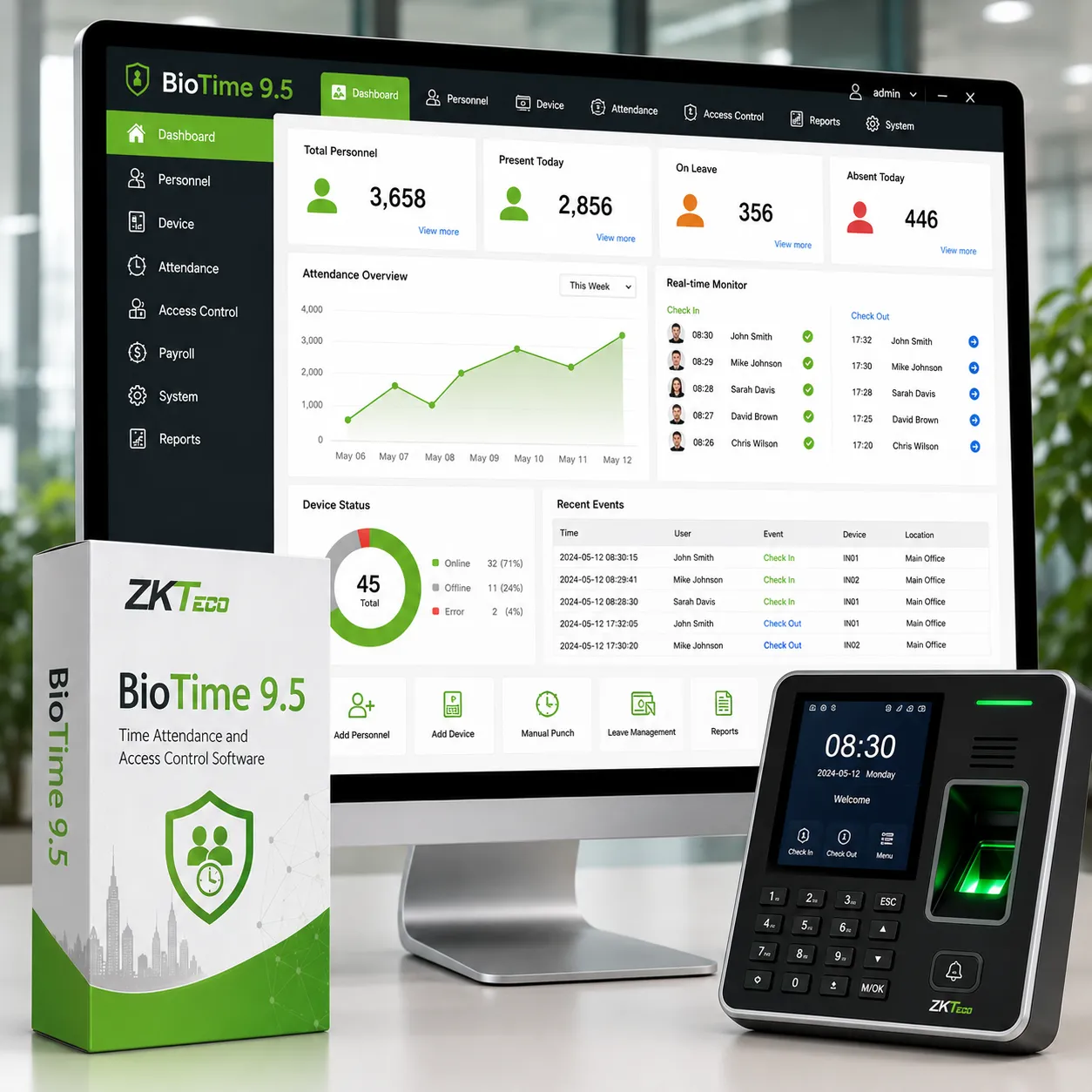
In most cases, yes. AITIME integrates with ZKTeco face terminals, including those already run from BioTime or ZKBio CVSecurity, and with Hikvision and Dahua face devices. Share the model names and we confirm compatibility in the demo, so you only replace units that cannot connect.

Is there a face ID attendance app for staff who work away from a terminal?

AITIME's mobile app for iOS and Android verifies attendance by GPS geofencing rather than by face matching. Field staff can check in only inside the area you define around a site or client address, without taking a selfie. Face matching stays on fixed terminals, where lighting and camera position can be controlled.

Is collecting face data allowed under UAE and Saudi data protection law?

It can be, when handled properly. The UAE PDPL and Saudi PDPL both treat biometric data as sensitive, so employers need a clear purpose, a notice to staff, limited access and defined retention. DIFC and ADGM companies follow those free zones' own data protection laws. Take legal advice for your setup; AITIME helps by restricting record access by role and logging every edit.

What happens to face punches when the internet goes down?

The terminal keeps working. Matching happens on the device, so punches are stored in its memory during an outage and uploaded to AITIME when the link returns, each with its original timestamp. Remote sites in Saudi Arabia, Kenya or Zambia, or any office where a router fails, keep a complete record.

How long does it take to roll out face recognition attendance?

A single office or clinic with existing compatible terminals is often running within a day. Larger sites take longer mainly because of enrolment: we plan batches by shift or camp bus, then run one pay cycle in parallel with your current method before switching every location over.

Free demo & quote

Get your free demo

Tell us your headcount, sites and devices. We reply within one business hour.

No obligation. We usually reply within one business hour.

CallWhatsAppFree quote